Meade ETX-80 Review
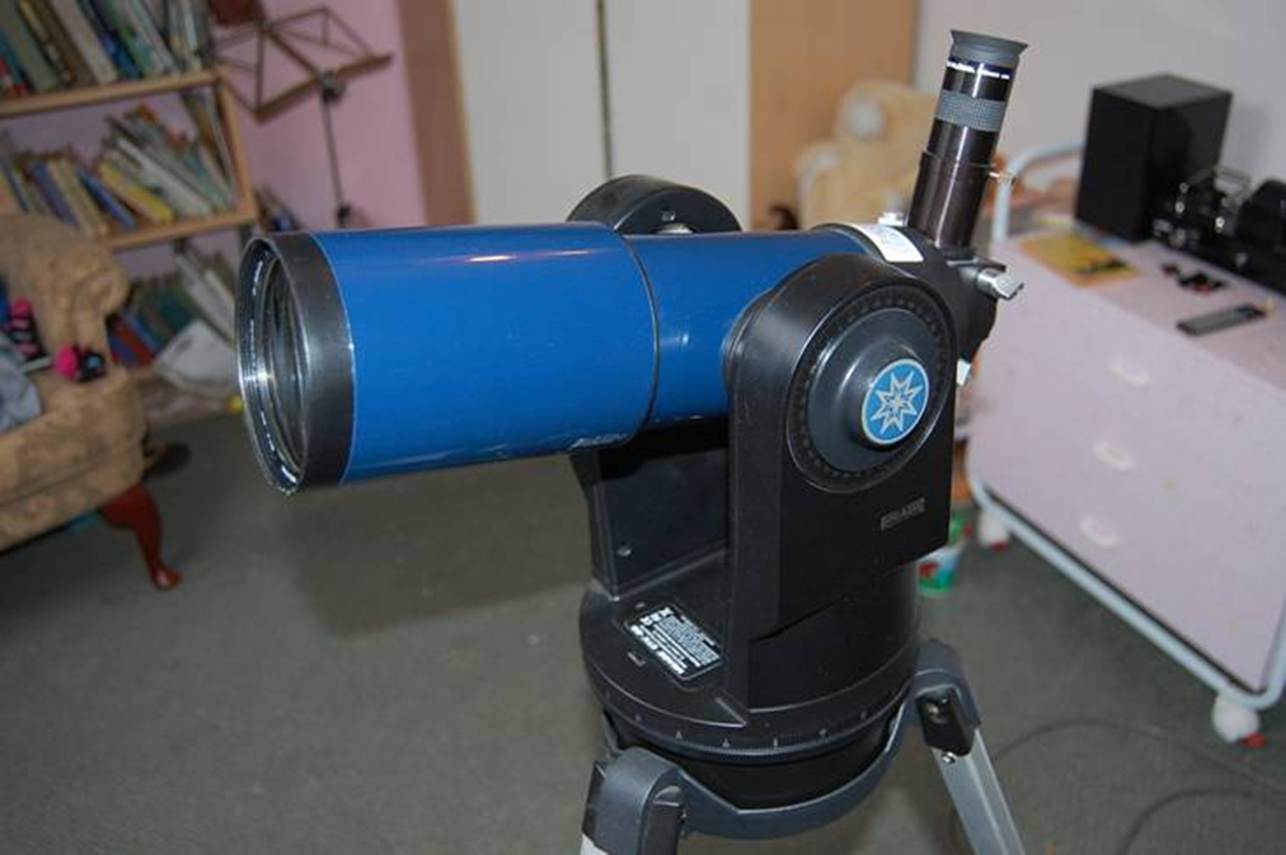
An ETX-80 in its natural habitat – a
child’s bedroom
I have never been a fan of small GOTO telescopes,
but last Christmas I found myself ordering one. Why? Well the problem was my
daughter. She was ten at the time and I had been trying to interest her in the
night sky for many years. I phrase it like that, because she is interested in
astronomy, knows all the planets and lots of stuff about black holes and so on.
The trouble is she has never been very keen on actually going out and doing astronomy.
She has had a few kid-scopes over the years and
none of them have found favour. In many cases that’s not surprising. The
“Edu-Toys” refractor I bought her first was indeed a
toy and otherwise useless. The little chubby blue plastic Newtonian I bought
was hopelessly out of collimation and so also useless. Finally there was a
Vixen ALF70 70mm achromat on a Porta. She did use that a few times,
but the problem was a hopeless finder combined with a long focal length that
meant she could never find things. So now she wanted GOTO. Try again Dad, one
last go.
But here’s the thing: If you are going to
have GOTO on a small scope, it needs to be a short focal length refractor with
an inherently wide field of view.
Not only will the wide field make it much easier to align the computer, but it
will often provide more satisfactory views of the things the computer can
find. So I ignored the ETX90, a Maksutov with a narrow field of view, and
decided on one of the refractors, the ETX80.
I hoped that learning about the computer (she loves
computers like all kids these days) might lead her into learning her way around
the sky. Besides, her best friend at the time was getting one as well, so I
hoped they’d share the learning experience. Ever the optimist, I bought
one.
At
A Glance
|
Telescope |
Meade ETX80 |
|
Aperture |
80mm |
|
Focal Length |
400mm |
|
Focal Ratio |
F5 |
|
Length |
38cm |
|
Weight |
3.2
Kg incl handset |
Data from Me.
What’s in the Box?
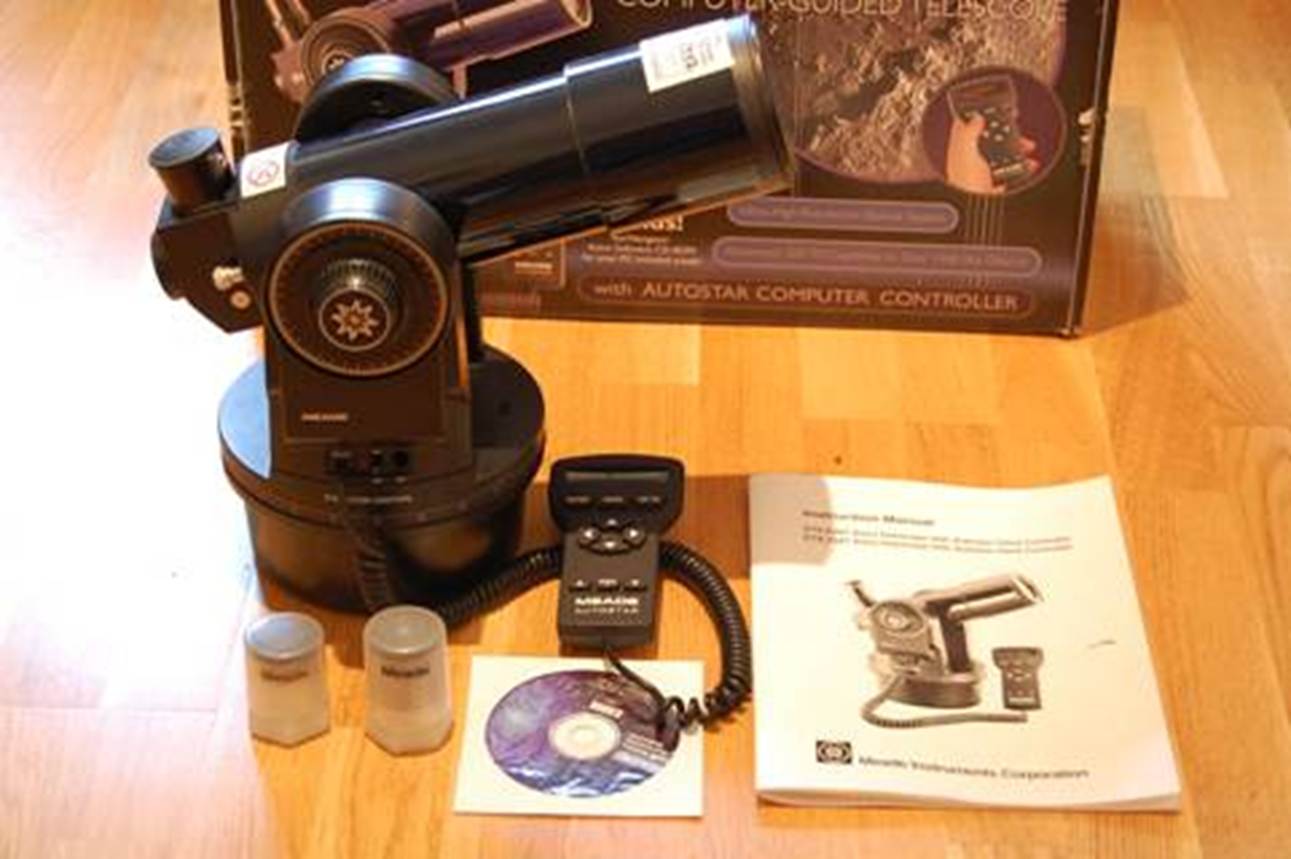
An ETX-70 with accessories and that colourful box.
Design and Build
The best thing about the ETX is the Carton it comes
in. I’m not being facetious, I mean really it’s a work of marketing
art and is enormous: all covered with glossy photos of the scope and things you
might see in it, if only it was a ninety-inch Ritchey Chretien attached to a
billion dollar camera and you were living in orbit. Trouble is, that sets
expectations, but I’m getting ahead of myself.
The ETX family of small refractors started off as a
sixty, which was too small, went on to a very handy seventy and is now a
somewhat bloated eighty. All of them are short focal
length achromats on a typical Meade fork mount, complete with a pared-down Autostar handset and probably the white plastic gears
familiar to frustrated owners of Meade SCTs. The tubes are blue, but you
probably knew that already too.
The inspiration for the design of all ETXs appears
to be the Questar. Where the Questar is all polished alloy, the
ETXs are black plastic, but basic build quality looks decent. Like
the Questar, any model of ETX sits in an alt-az fork
with setting circles on each axis, but unlike a Questar,
the Meades have a computer-controlled goto and
tracking system, on which more (much more) anon.
Optics
If the electronics in the ETXs are closely related
to those in the bigger Meades, the optics are basically the familiar old
Short Tube 80 in a different package; nothing wrong with that. So
optically the ETX-80 is a Chinese-made 80mm F5 (400m F.L.) achromatic
refractor.
The objective lens is well coated and of good
quality, but if you want a dew shield, it’s an optional extra. A mirror
diagonal is built-in to the OTA at the back and that’s a good thing for a
child – less to drop and break in the dark.
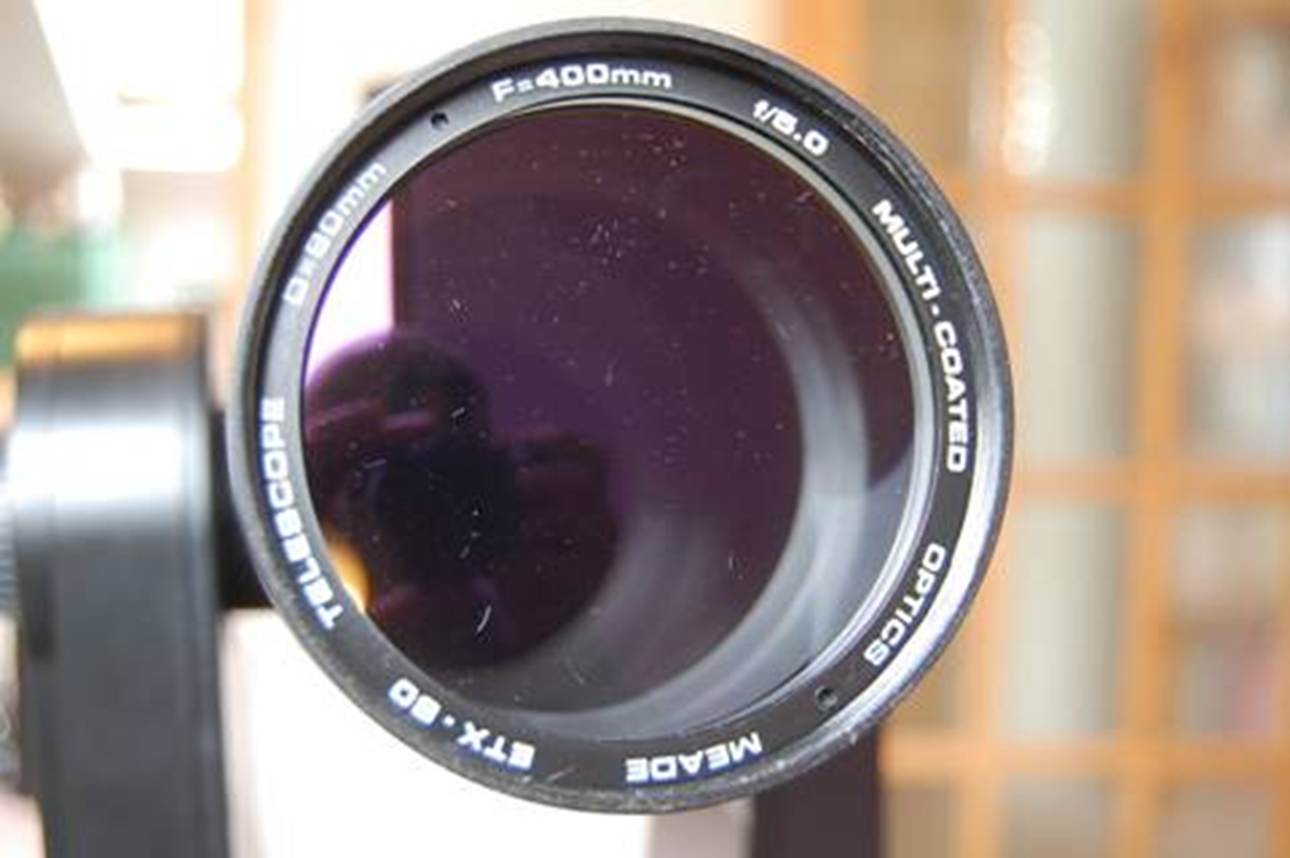
A rather dusty ETX 80 objective (there’s no
dew shield to keep the dust off in-use).
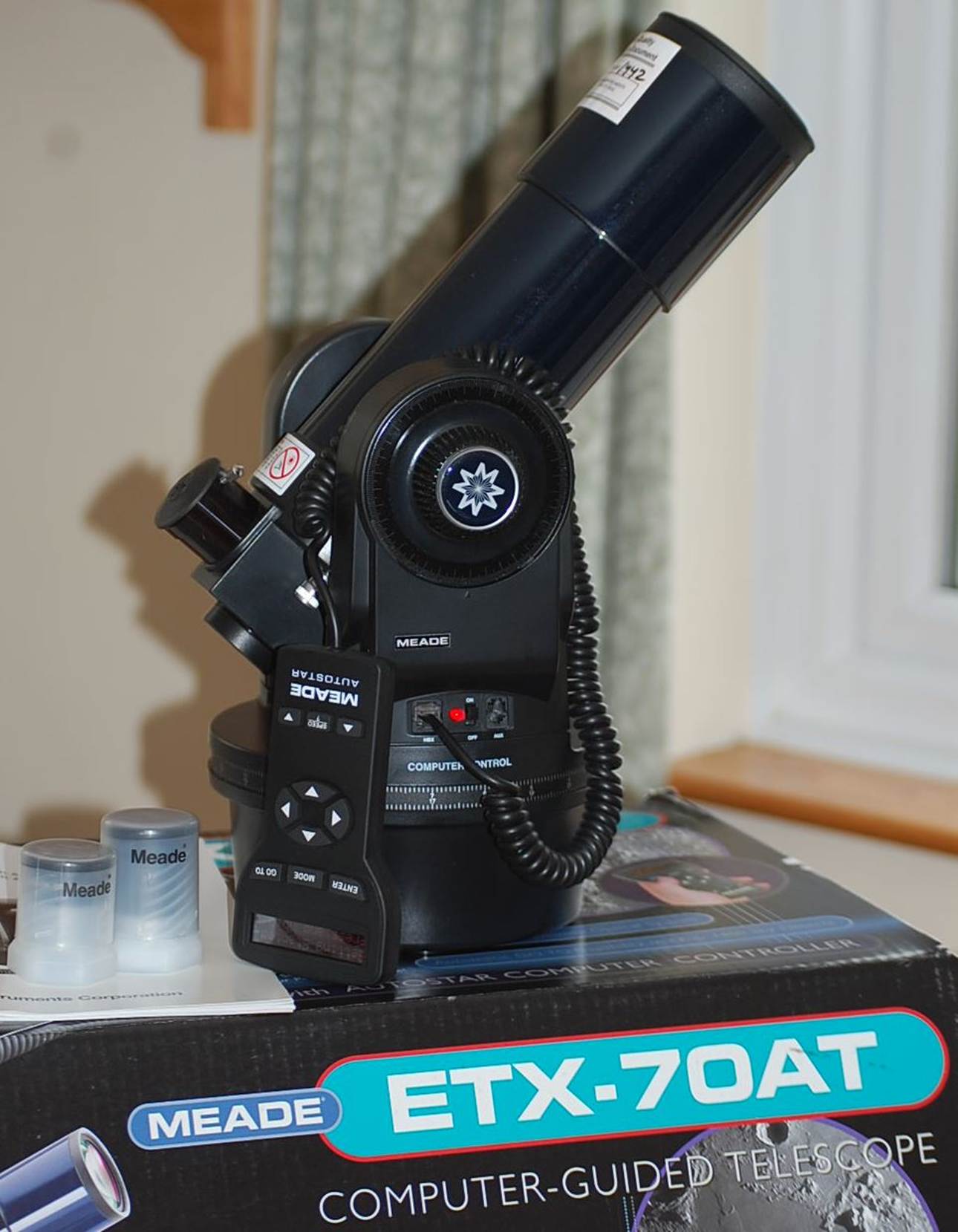
The ETX70 is quite a lot smaller than the ETX80.
Tube
The optics may be the ubiquitous ST80, but the tube
is not. For one thing there’s that control box at one end in place of the
usual 2” r&p focuser. Then at the other is
a sliding part that holds the lens and does the focusing.
You might think that the increase in aperture from
the ETX-70 to the ETX-80 would be a good thing, but as I said earlier, the
eighty is surprisingly larger than the 70, both in the tube and the length of
the forks, so that it is now much larger than its Questar progenitor.
What’s more, the bigger aperture also means a longer focal length and so
a smaller field of view, on which more later.
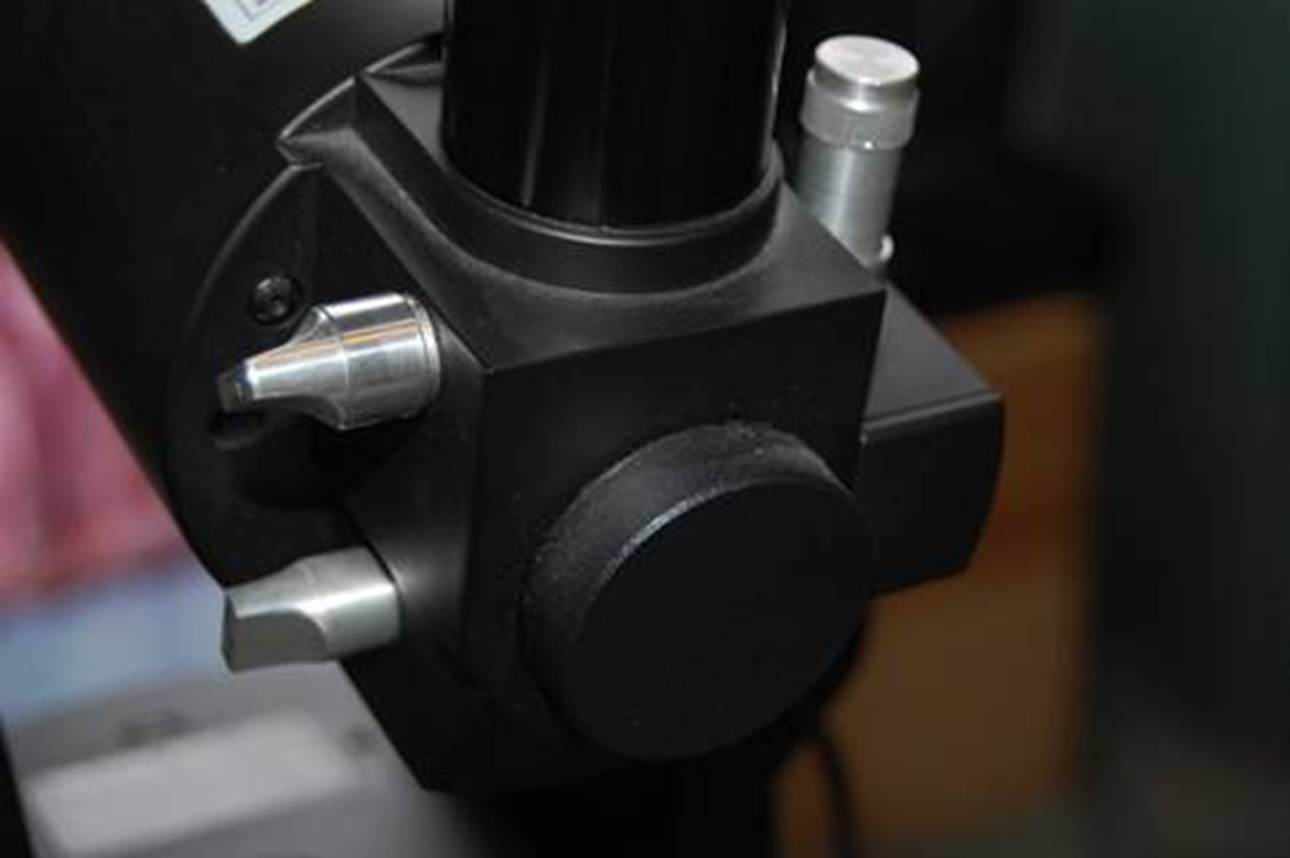
Control Box and Focuser
Whilst the old ST80 is just a simple OTA with a
basic rack and pinion focuser, the ETX has been given a sort of
budget-Questar control box. This means that the back of the tube is
enclosed in a plastic structure from which several small silver knobs protrude.
One knob flips the diagonal mirror aside so you can
use a port in the back for photography; another knob engages a barlow lens to increase magnification without changing
eyepieces; the third knob is the focuser...
The focuser itself works by moving the whole front wider
section of tube containing the lens, so your eyepiece stays in one
position. Clever? Well not really, because the focuser ends up being
painfully stiff and slow. For example, slipping the barlow into
the optical path of the supplied 26mm Plossl is
easy with the control box, great! It then takes 20 full turns of the
knob to re-focus, yes really, I did mean 20 – I counted them.
Eyepieces and Accessories
What the ETX could really do with borrowing from
Questar is its clever built-in finder, but of course that’s the one
feature they didn’t copy. In fact, the ETX has no finder
at all, which can be frustrating when it comes to alignment.
The ETX comes with various accessories, including
Meade Series 4000 Plossl eyepieces of 26mm
and 9.7mm focal length, that are quite good and give magnifications of 15x and
41x respectively. You’ll likely to want to buy at least one more in the
5-6mm range for higher magnifications, but it will need to be an Orthoscopic
(not a Plossl) at that focal length.
Also included is a little compass to help you
find North for alignment. But what’s the point? If you
can’t find the pole star what hope do you have of finding the alignment
stars it chooses?
The base of the forks can be placed on a tabletop
and rubber pads are thoughtfully stuck on so as not to mar the family dining
table. Alternatively, a very light (and flimsy) tripod is included. The base
attaches to the tripod by two bolts, but unfortunately a central ¼-20
thread for a photo tripod is not provided, so you can’t easily substitute
your own. The tripod includes a tray for the eyepieces and the Autostar handset. Meade even throw in a carry bag for the
tripod (some earlier version gave you a backpack).
A much more substantial tripod is available as an
aftermarket accessory.
The ‘Autostar’
GOTO System
How Does Autostar Work?
Well I never knew til I
owned one (and I never owned one before), so I thought I’d take a brief
diversion to explain.
The ETX sits in a fork mount, consisting of two
plastic arms attached to the base, that is controlled electronically by a
computer system that Meade call “Autostar”.
The computer moves the tube in both altitude and azimuth (up and down) to
follow the movement of objects across the sky as the Earth turns. In order to
do this, it has to know where it is: this is done by “aligning” the
mount, which means pointing it at a couple of known stars.
How to Align Autostar
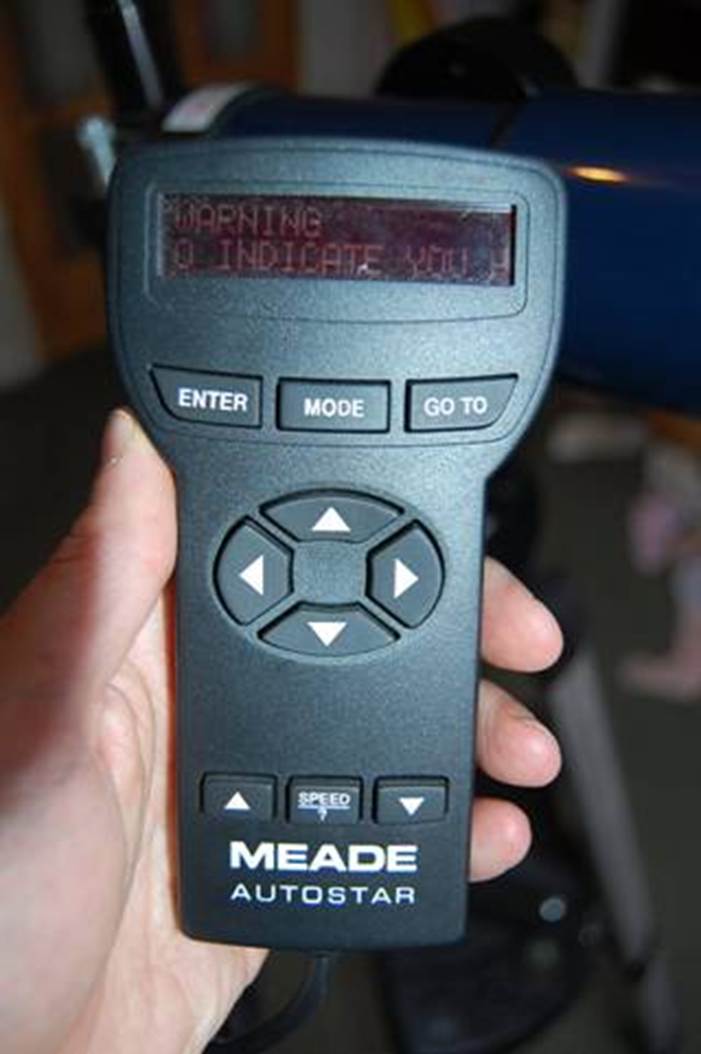
The Autostar handset
plugs into the fork legs next to the “on” switch. The handset is the
computer and has a little two-line display and some buttons... When you click
the switch, the scope beeps and the handset displays the following useful
message. It takes about a minute for this to scroll across the display, but it
feels much, much longer:
“WARNING: Looking at or near the sun will
cause irreversible damage to your eye. Do not point this telescope at or
near the Sun. Do not look through the telescope as it is moving. To
indicate that you have read and understood this message, press the speed
key.”
As far as I can tell, you have to get past this
message every time you start up.
Then it tells you you’re getting started and
if it’s the first time you’ll have to enter the time and your
latitude and longitude etc. Then you select an alignment mode. The default is
“Easy”.
Now you get a new minute-long scrolling message
that basically tells you to put the tube flat and point it north. When
you’ve done that, Autostar thinks for
a bit and then things start to happen. The mount screeches and whirs into life
and starts moving around. The handset displays the name of a bright star
(Capella when I tried this just now) and when it’s done slewing it, sits
and mutters like two aliens having a breakfast chat. This is because it is
tracking what it thinks is Capella. Hopefully, it is at least pointing in the
direction of Auriga, the constellation of which Capella is the brightest star.
Your job now is to loosen the axis clamps and set
the scope onto Capella manually. This is not so easy as you might
think, because there is no finder, but you can press the arrow keys to help you
get it in the centre with the drives (there are various speed options too).
Having done that (possibly alarming your child with much cursing meantime), you
press “enter”.
Now Autostar searches
for a second alignment star (Vega for me). More screeching and slewing ensues. If
you’re not used to robots, this can seem either spooky or remarkable.
When you have manually centred the new star, you press “enter”
again and it hopefully says “align successful”.
At this point you discover if you did your stuff
right. Quite a big “if” this one, but if you did, you can
start selecting objects from a menu and the scope will find them for you, which
is very cool and very good fun. What’s more, once found, the object
stays in view as the scope moves the altitude and azimuth axes continuously to
track it, as I said at the start. Autostar also
provides lots of useful info on objects (setting times, magnitudes etc) and has
a tour mode. The latter starts with easy objects and gradually moves to fainter
ones.
In Use
Having opened that lovely big colourful box, my
daughter spent Christmas day playing with the Autostar handset.
Before the Turkey was on the table she was telling me where the next eclipse
would be, which meteor showers to look for that night and what time the Moon
would rise. All good stuff; I was encouraged.
Getting Aligned
Out under a (staggeringly cold) winter sky, though,
the scope was harder to setup than it had been on my original try-out, with
lots of frustrating attempts at alignment. My experience with Autostar is that sometimes all goes well and
you’re up and running quickly; other times it all goes wrong and you end
up switching off and starting again... and again.
Really, the ETX experience is all about alignment
– get it right and it’s great, get it wrong and... AAArggggghhh!
The serious issue here is that despite the fact
that this is a beginner’s scope, you need a fair bit of skill and
knowledge to align it. If you don’t know your way around the sky, are you
likely to know which star is Capella? Then again, you have to be used to
telescopes to get Capella in the field of view at all (and not some other star
by mistake).
One problem is that with the supplied eyepieces the
maximum field you can get is about 3°. Compared with your average pair
of binos at about 7°, that’s not
much and so finding those alignment stars is a challenge for the novice. I
wonder how many novices try this once, can’t do it, get fed up and never
use the thing again.
Since there is no finder, or obvious way to attach
one, I’d recommend upgrading to the widest-possible field eyepiece to
give you a chance of aligning, which in this case will be a 32mm Plossl, giving closer to 4° field.
Once you’ve aligned and focused, don’t
bother swapping eyepieces too much. This scope is about low powers and wide
fields and once you’ve lost focus you may never get it back:
“How many times have I turned it?”
Twiddle, twiddle...
“18, Dad... two more to go...”
“Oh, OK, thanks...” Twiddle, twiddle,
twiddle...
Did I mention that the focuser knob, is
small, stiff and very frustrating to use?
Exploring with Autostar
Assuming you’ve got it aligned and focused,
the ETX is great fun, really.
It whirrs around, slewing from object to object swiftly and accurately. You can
choose objects from menus, but the best way to get going is with the tour mode
that shows you the highlights of what’s up tonight.
The tour mode will start off taking you to obvious
things first (yeah, think I can find the Moon on my own, thanks). But pretty
soon, new things are coming up that maybe you didn’t think of.
What’s even better is that once you’ve found something, the scope
keeps it centred by continually (and noisily) nudging the scope to keep it
aligned.
The tour mode on the ETX is actually a lot more fun
than the one on my AP1200 mount! The AP1200 selects objects seemingly at
random, so you can get something obvious like The Pleiades, followed by some
minute faint galaxy plucked from the NGC catalogue. In comparison, the Autostar’s approach of starting with obvious
stuff, then moving fainter and more obscure, is much better.
The
Moon
Push
the magnification and you are reminded that this is an achromat, but views
of the Moon were good, with some nice detail at moderate powers.
Deep
Sky
Optically, the ETX80 is really
quite good, as was the ETX70 I tried previously. Wide, flat and
bright, it’s just great for open clusters, and bright nebulae and
galaxies.
Of course, after those Hubble pictures on the box,
even a £250,000 Takahashi observatory scope is going to be a let down. And that’s part of the problem – the
slick marketing sets kids’ expectations up for a guaranteed
fall. You may know and accept that a TV dinner never turns out the way it looks
on the box, but children don’t! I would prefer to see Meade use photos
actually taken with the telescope, or representative of the views the telescope
can give.
In the end, though, whether my daughter and I
really enjoy an observing sessions with the ETX, or absolutely hate it, depends
entirely on how quickly we get the thing aligned. Depending on its mood, the
GOTO is either a really clever feature or an absolute curse. Maybe we’ll
get better with practice.
Summary
A few hundred quid for a nice
80mm achromat on a feature-packed computer controlled mount with
tripod and eyepieces is astonishingly good value.
When it works and you get it aligned, the little
ETX is lots of fun. Even a cynic like me starts to get involved, watching
it whirr around the sky and seeing what it
can find. The tour mode is great and the scope optics perfectly well up to
introducing a youngster to the night sky.
There are a lot of frustrating niggles though, that
focuser for one, the difficulty in aligning another.
The Autostar is
slow to get going with its interminable scrolling messages, then add a couple
of inexplicably failed or inaccurate attempts at alignment and the overwhelming
temptation is just to switch it off and fetch the binos.
That frustration factor is manageable for adults, but for children it’s a
real turn-off and after all the anticipation from reading about the computer
(and those Hubble pics on the box), it’s a let-down too.
If you buy one of these for your son or daughter,
I’d recommend learning to align it in secret first, so it doesn’t
put them off. Otherwise
this isn’t such a good kids’ scope after all: you fiddle with the
handset and curse, their eyes glaze over and they start to fidget. You know
they’d rather be in watching the telly.
The ETX 70 or 80 are actually cautiously recommended
for children (and novice adults too), despite the frustrations, BUT ONLY if you
can help them align it first.
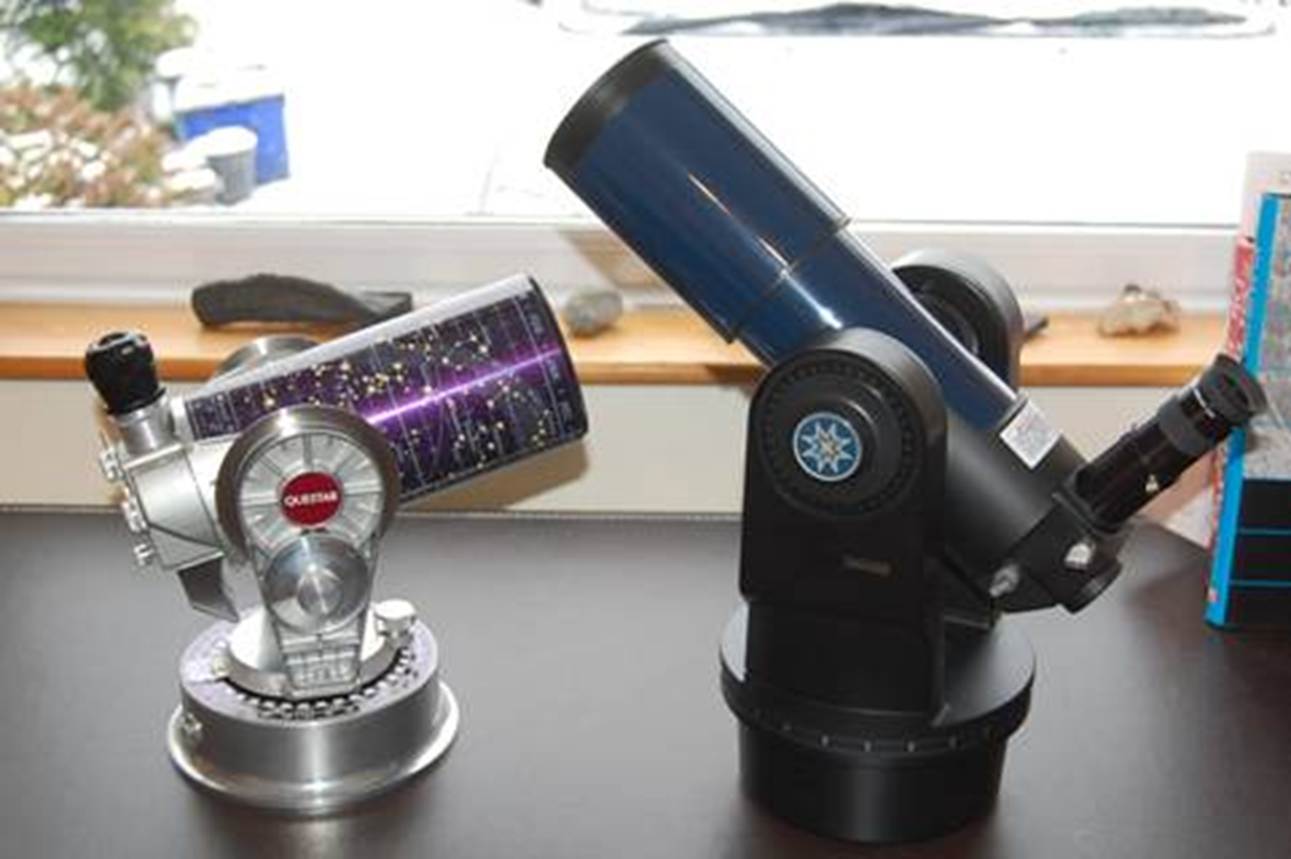
It’s not a Questar, but the ETX-80 costs
1/10th as much and has a computer.